← All stories

Arcade history · The conversion era

Same Cabinet,
Different Game

Why so many ’80s and ’90s arcade games looked like they lived in the same box.

Ever look at an old arcade machine and think, “Wasn’t that a different game?” There’s a good chance it was.

There were plenty of cabinet designs in the ’80s and ’90s. But familiar shapes kept showing up because arcade owners could change the game without replacing the whole machine. When the quarters slowed down, it was time for a cabinet’s quarter-life crisis.

Know your cab

Candy cab is the collector shorthand for a Japanese-style cabinet usually played sitting down. Cocktail means the glass-top table style; cabaret or mini means a smaller upright. Those names describe the cabinet’s general shape.[6]
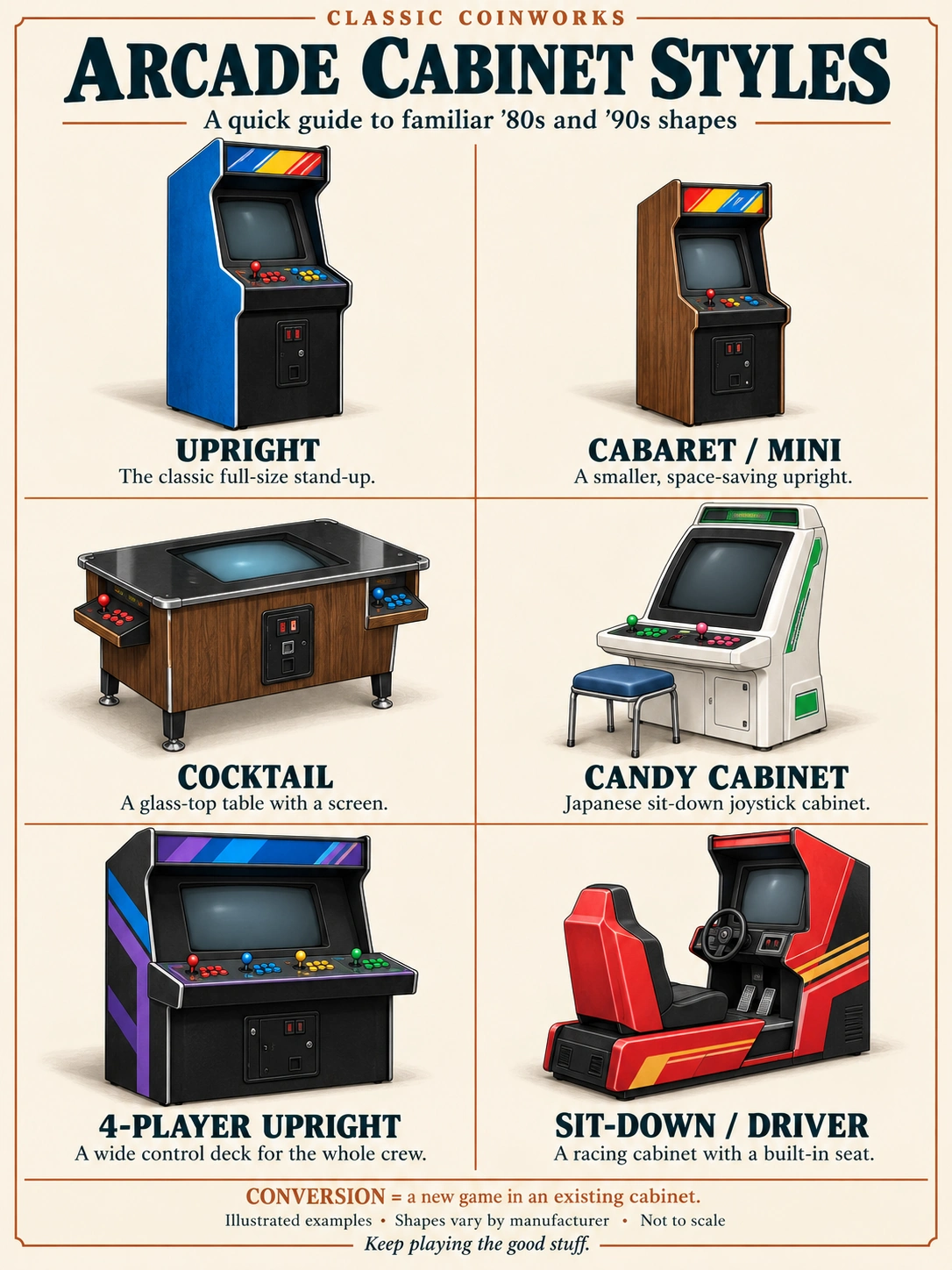
Illustrated arcade cabinet guide: upright, cabaret or mini, cocktail table, Japanese candy cab, four-player upright, and sit-down racing cabinet. Conversion means a new game in an existing cabinet.
Six familiar cabinet shapes. A four-player upright is a wide upright variant. Open the full-size guide.

Then you’ve got recognizable families: Nintendo uprights with that familiar Donkey Kong profile, Dynamo conversion cabinets made to take different games, and Neo Geo MVS cabinets built around interchangeable cartridges. Those names tell you more about the cabinet’s manufacturer or game system.

Different shapes, different names. Same appetite for quarters.

01 · Nintendo upright cabinets

Same family, new job

Think of the familiar Nintendo uprights used for games like Donkey Kong and Donkey Kong Jr. Those cabinets didn’t always spend their entire lives with the same game.

Nintendo sold VS. UniSystem conversion kits for several of its older games. The original manual specifically lists Donkey Kong, Donkey Kong Jr., Donkey Kong 3, Popeye, and compatible Mario Bros. cabinets. New hardware, controls, and graphics could give an existing machine another run at earning quarters.[1]

Even Donkey Kong could get a new gig. Apparently throwing barrels wasn’t a forever job.
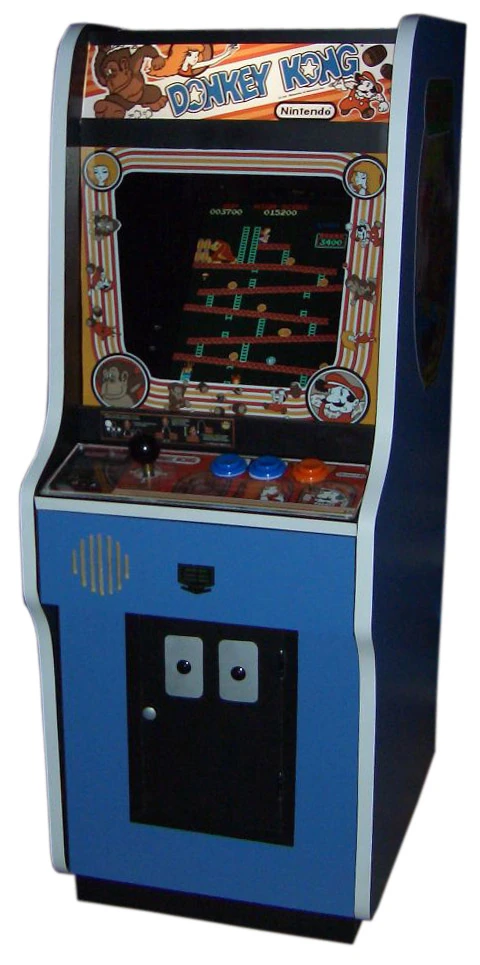
Blue Nintendo Donkey Kong upright arcade cabinet with its original game identity.
A familiar face: a Nintendo Donkey Kong upright. Nintendo offered kits to give compatible cabinets a second life as VS. UniSystem games. Photo: Joshua Driggs (ZapWizard); background removal by Bayo. Wikimedia Commons · CC BY-SA 2.0.
02 · Dynamo conversion cabinets

The box was part of the plan

Then there were cabinets built with game changes in mind. Dynamo marketed its Universal Video Hardware System specifically for conversion kits, with a replaceable control panel and a monitor that could be mounted horizontally or vertically.[2]

That helps explain the déjà vu. Different artwork and different games could be sitting in the same type of cabinet. A new game board, marquee—the sign above the screen—and controls could freshen things up while compatible parts stayed put.

It was a pretty practical shell game.
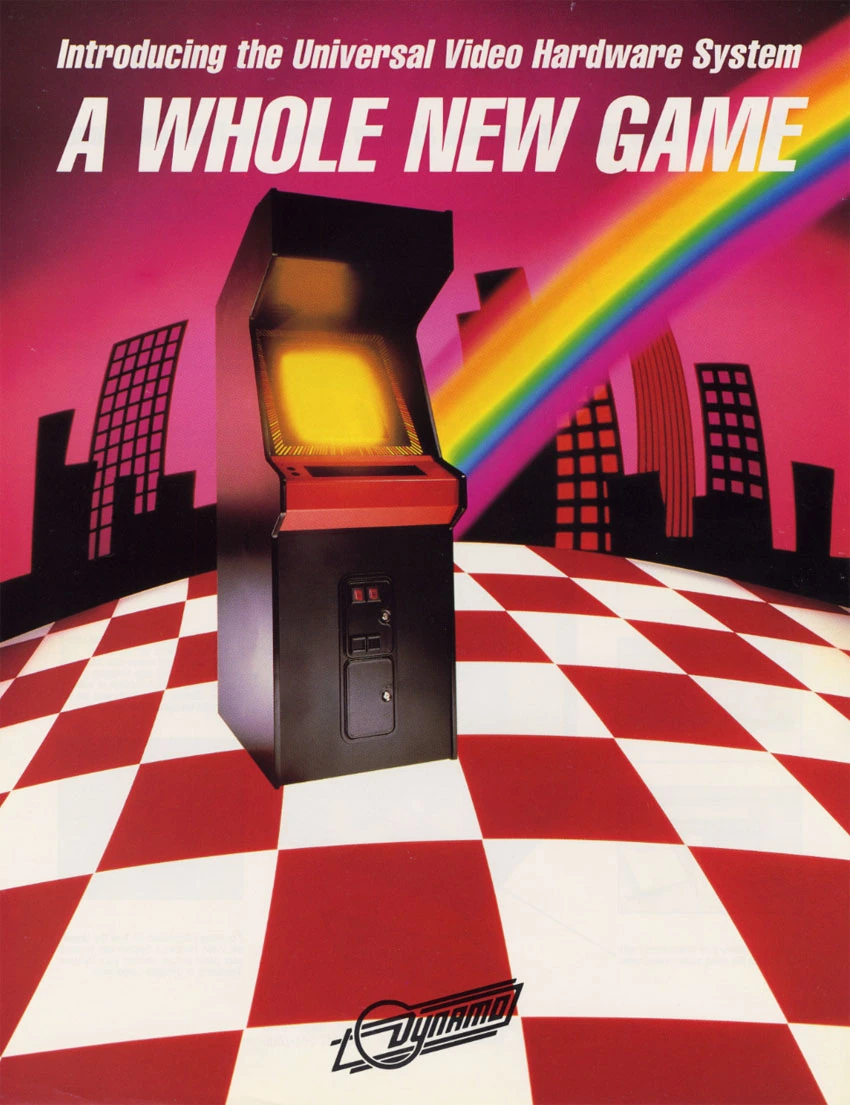
Dynamo historical sales flyer showing its Universal Video Hardware System upright arcade cabinet.
Dynamo advertised a cabinet system built with conversions in mind. This historical flyer shows its Universal Video Hardware System, not a specific game. Dynamo sales flyer, via The Arcade Flyer Archive. Historical advertisement reproduced for discussion.
03 · Fighting-game makeovers

From “Hadouken!” to “Finish Him!”

This wasn’t just somebody improvising in the back room. Midway’s 1992 Mortal Kombat kit manual includes instructions for converting a Street Fighter II cabinet. By 1995, its Mortal Kombat 3 kit manual named the Dynamo HS-5 as one of the cabinets tested with the kit.[3][4]

Of course, “swap the game” didn’t always mean “plug it in.” Wiring, monitor compatibility, and button layouts still mattered. The cabinet could stay, but somebody still had to get inside and do the work.
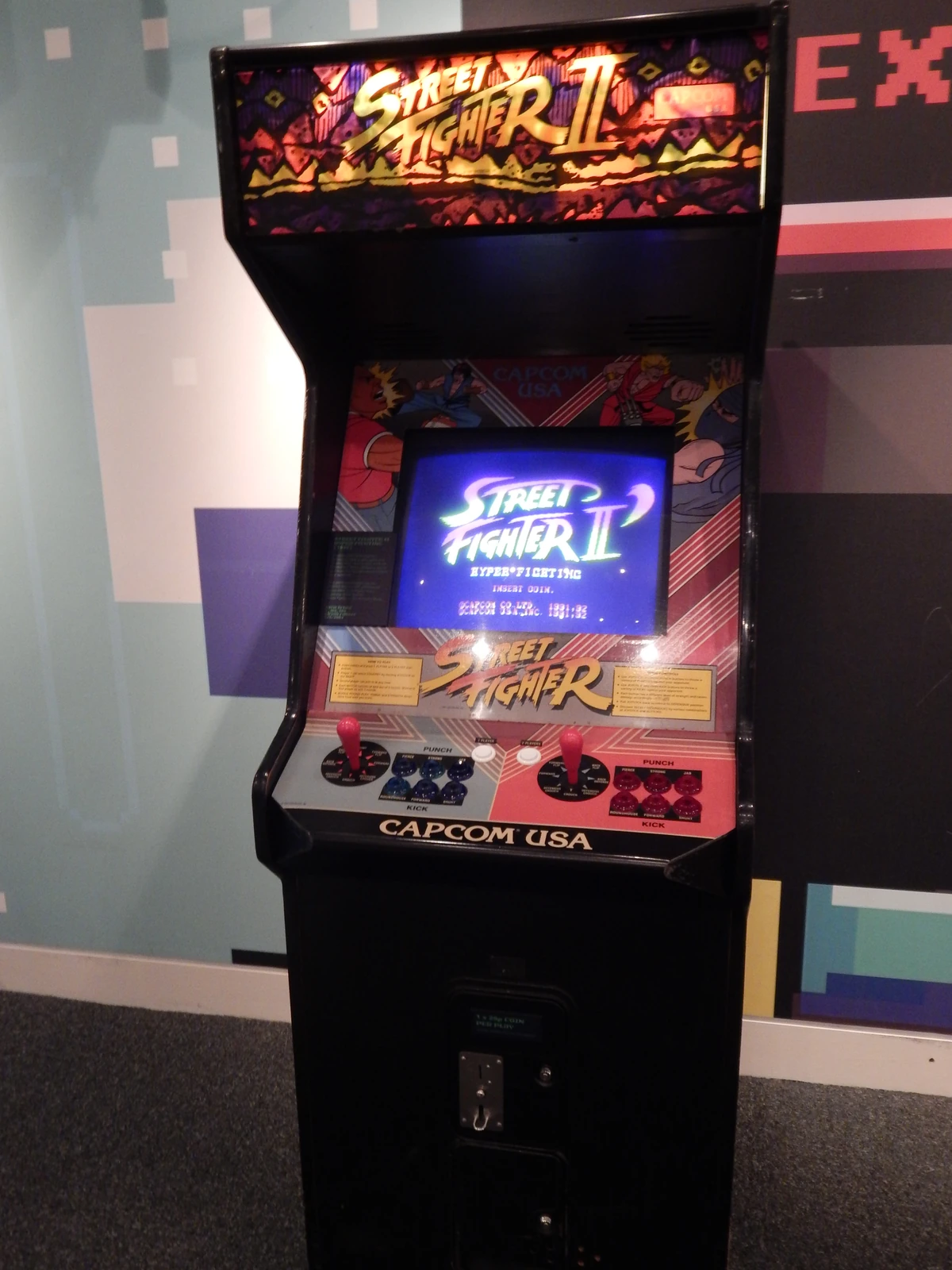
A Street Fighter II arcade cabinet on display at the Media Museum in Bradford.
Street Fighter II in a museum. Midway documented how to convert a Street Fighter II cabinet to Mortal Kombat; this photo is an example of the game, not a documented conversion. Photo: John Turner. Wikimedia Commons · CC BY 2.0.
04 · Neo Geo MVS

One cabinet. Several personalities.

Neo Geo took a different approach in 1990. Its MVS system used game cartridges, and multi-slot versions could hold several games in one cabinet.[5]

Operators could change the lineup by changing cartridges, rather than doing a full conversion every time. That big red cabinet was built to keep changing its mind.
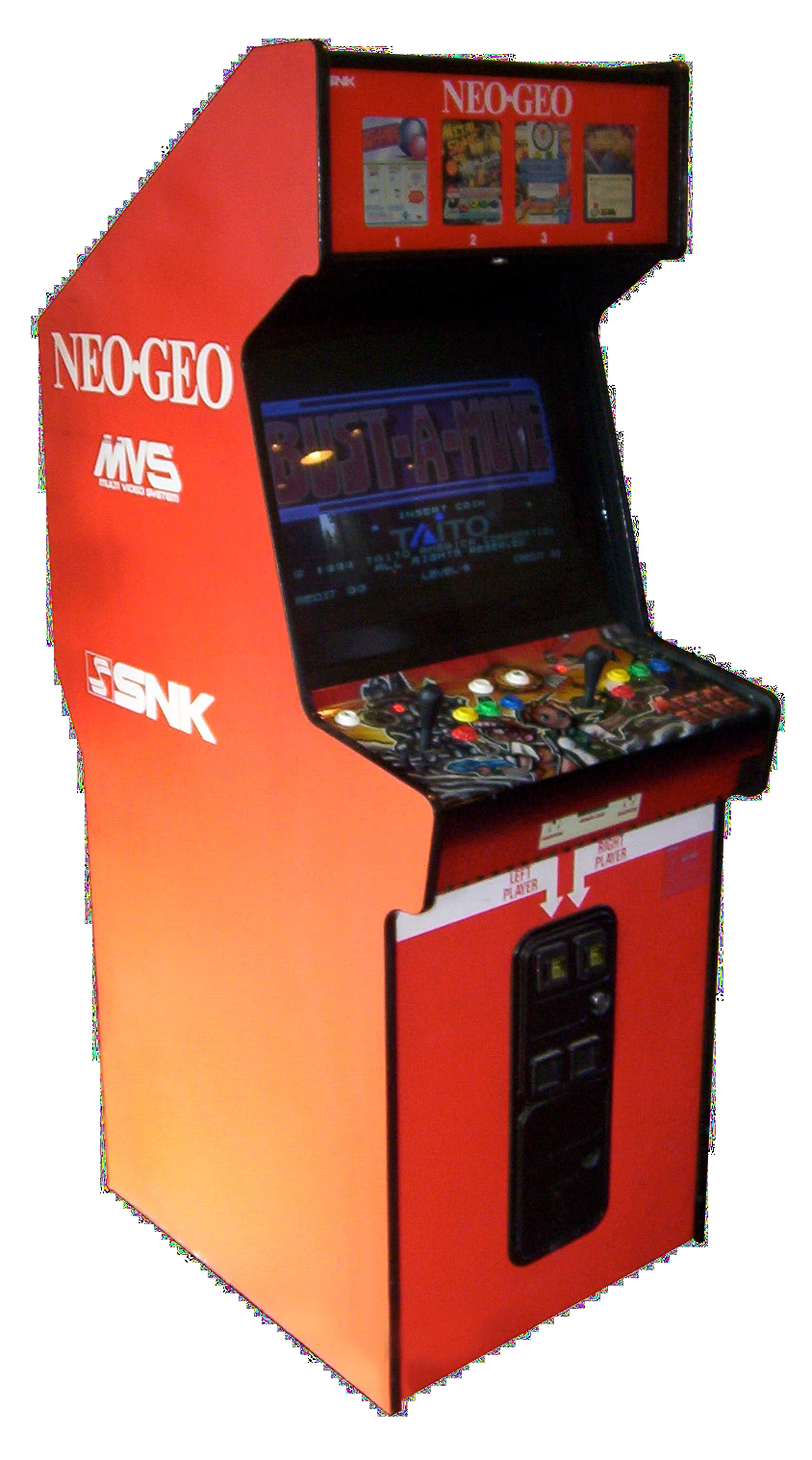
Red four-slot Neo Geo MVS upright arcade cabinet with four game displays in its marquee.
The big red game changer: a four-slot Neo Geo MVS cabinet, designed to offer several cartridge-based games in one machine. Photo: Beeblebrox, via Wikimedia Commons. CC BY-SA 3.0.

So yes, a lot of those machines looked alike for a reason. Some were related cabinet designs. Some were purpose-built workhorses. And some had already been a completely different game.

Turns out the name above the screen doesn’t always tell the whole story.

Keep playing the good stuff.
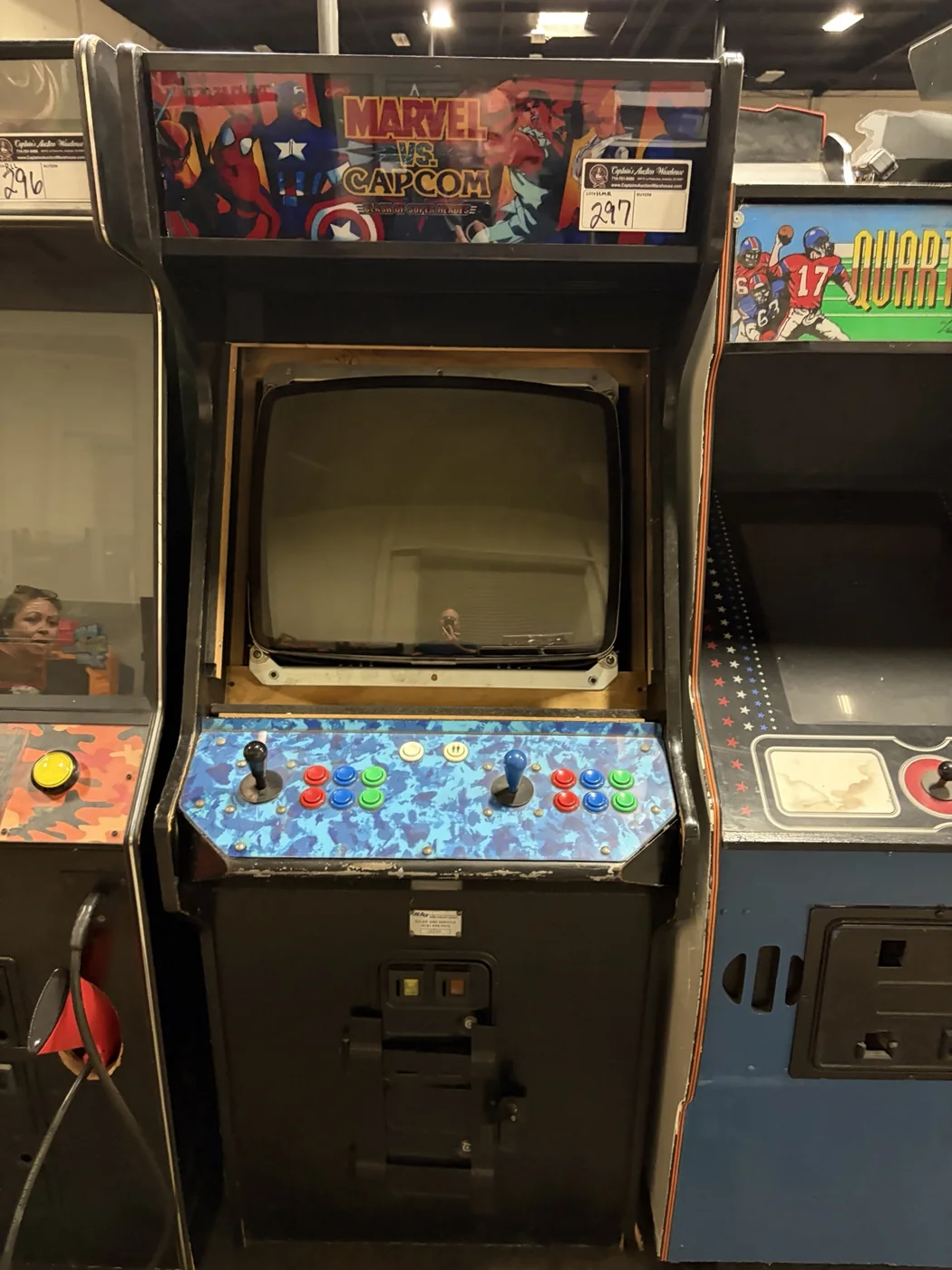
Read the cabinet, then verify the hardware

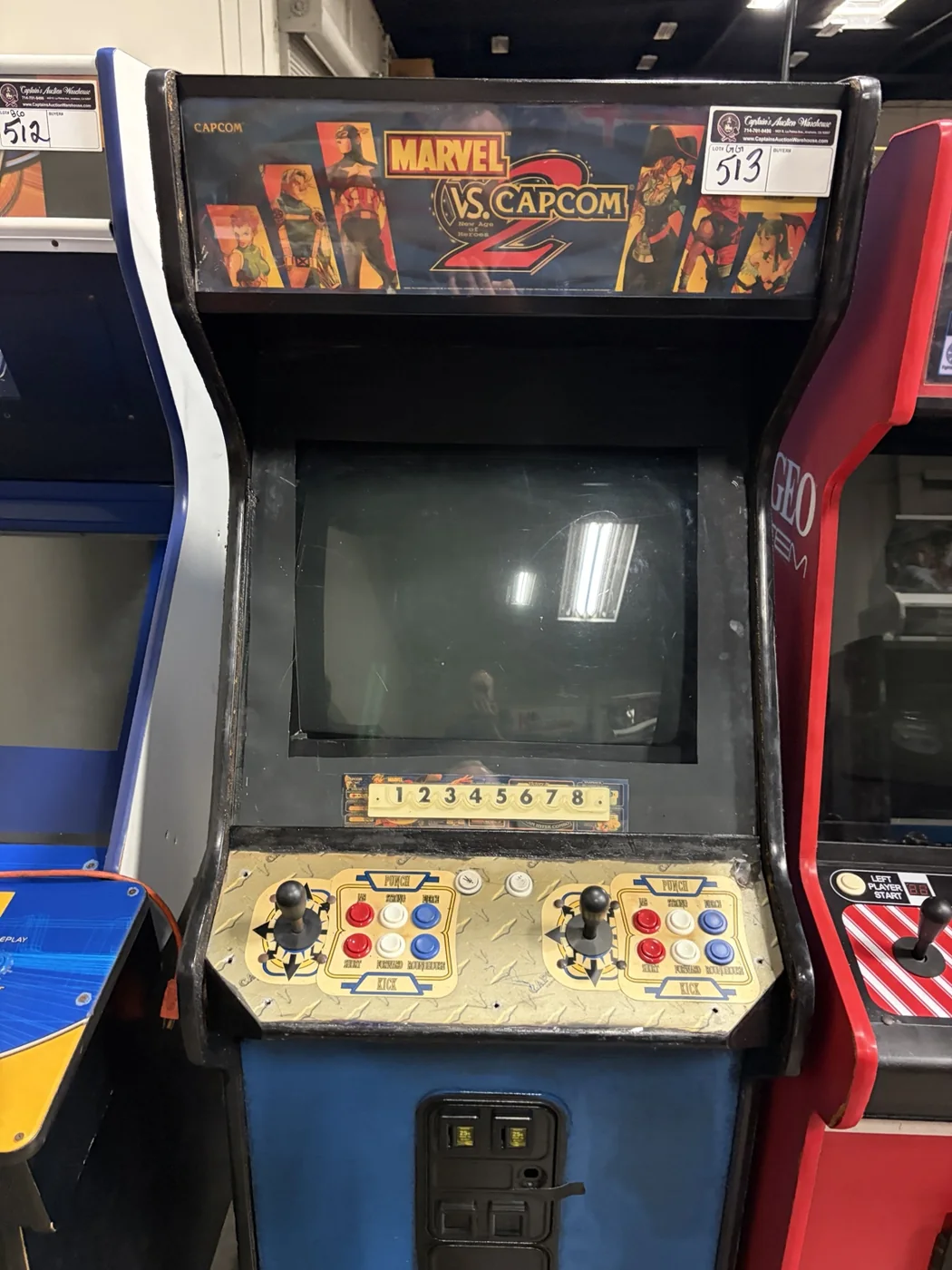
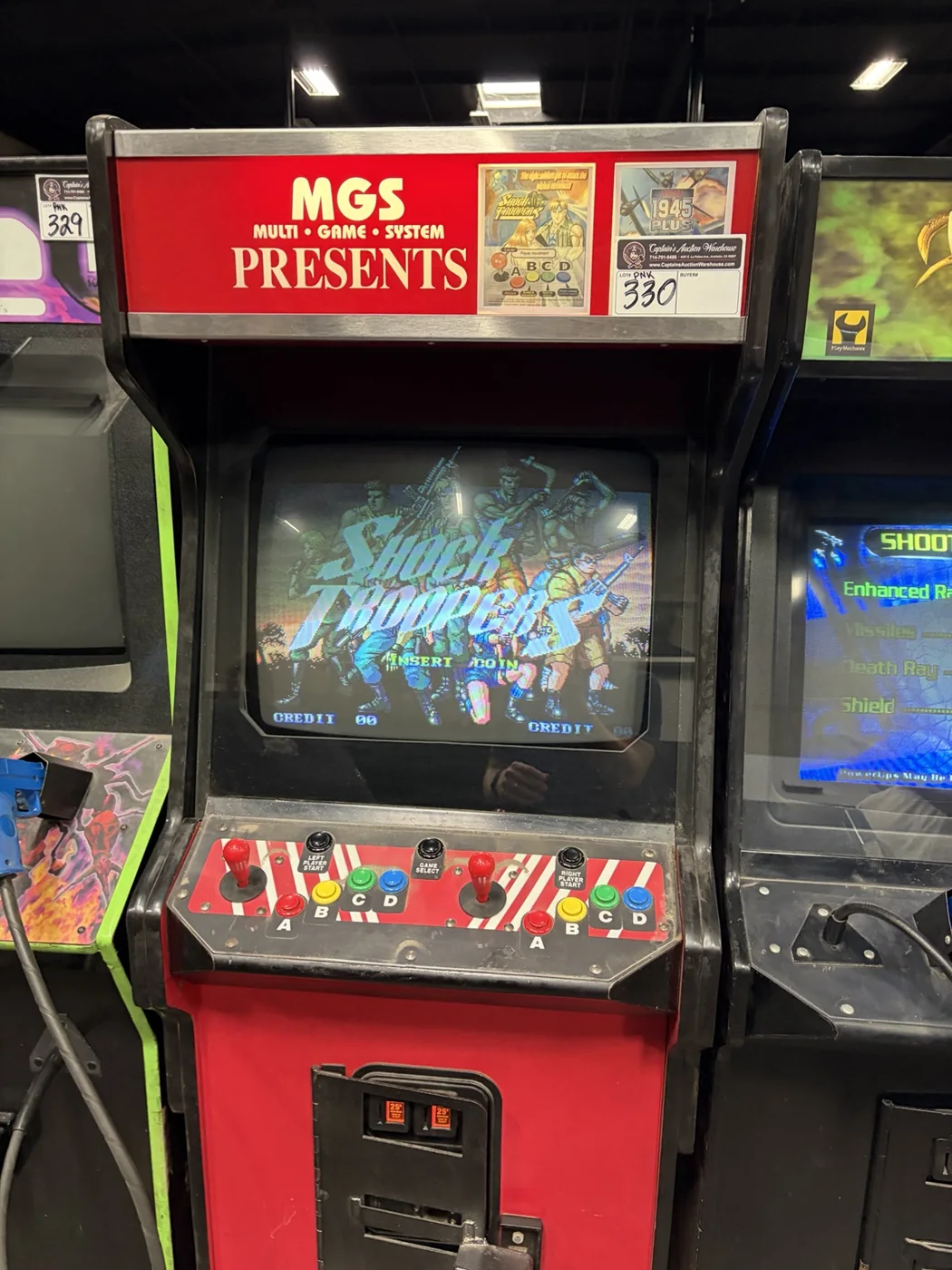
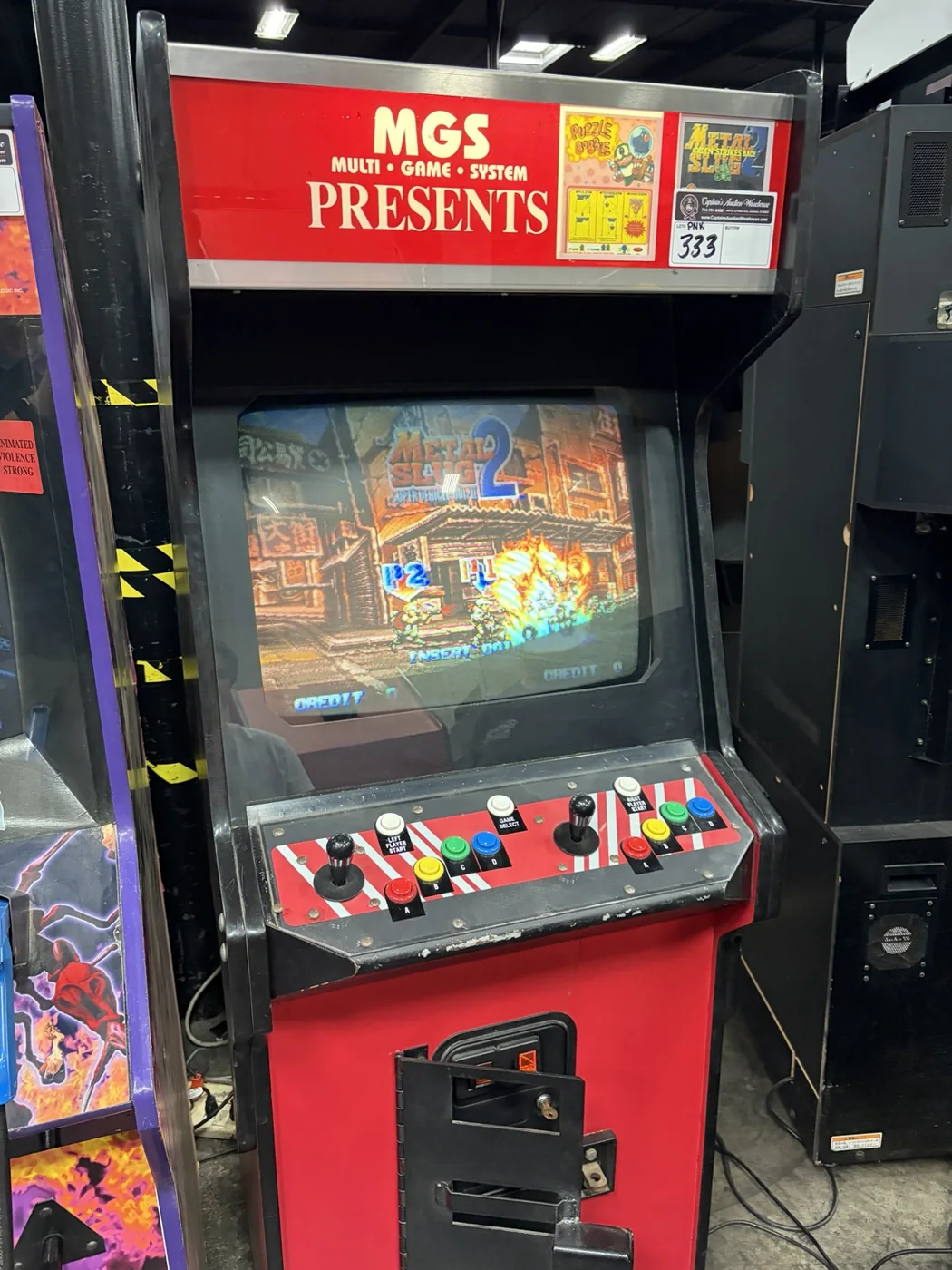
These photos from my collection show why artwork, controls, and the installed game should be recorded separately. A marquee tells you what a cabinet advertises; it cannot establish the exact board or whether the machine works.

Two-player arcade cabinet with Marvel vs. Capcom marquee, blue control-panel artwork, and a dark screen.
A cabinet carrying Marvel vs. Capcom artwork. The dark screen does not verify the installed game or its working condition. Photo: Matt Pearce / Classic Coinworks.
Blue arcade cabinet carrying a Marvel vs. Capcom 2 marquee and two-player controls.
A cabinet labeled Marvel vs. Capcom 2. Its marquee identifies the advertised title; this photo alone does not verify the board inside. Photo: Matt Pearce / Classic Coinworks.

A similar look can hide a different platform

Arcade cabinet marked MGS Multi-Game System with a multi-game screen and two-player controls.
MGS Multi-Game System branding. This is not identified here as an SNK Neo Geo MVS; similar red artwork does not establish the hardware inside. Photo: Matt Pearce / Classic Coinworks.
Red MGS Multi-Game System cabinet displaying a game on its CRT.
Another cabinet labeled MGS Multi-Game System. Identify the board before choosing platform-specific parts or repair instructions. Photo: Matt Pearce / Classic Coinworks.

Manuals & historical sources

  1. Nintendo VS. UniSystem kit manual, introduction and kit contents. The original wide-body Mario Bros. cabinet is excluded.
  2. Dynamo Universal Video Hardware System sales flyer, front and back, The Arcade Flyer Archive.
  3. Midway Mortal Kombat kit operations manual, August 1992; cabinet conversion instructions.
  4. Midway Mortal Kombat 3 kit operation manual, 1995; cabinet compatibility and kit contents.
  5. Neo Geo history retrospective, Retro Gamer, hosted by SNK.
  6. Museum of the Game: cabinet styles, including upright, cabaret, candy, cocktail, and themed cabinets.

Image credits and license links appear beneath each illustration. Photographs are resized for the web without content edits; their licenses apply to the photographs. The cabinet guide is an illustration. Historical photographs show examples, not Matt’s machines or a before-and-after conversion sequence.

From the garage: My X-Men arcade cabinet build →

Classic Coinworks Monthly

One more credit for your inbox.

One good story, one useful tip, and a look at what’s coming next. A monthly note from Classic Coinworks, with updates and giveaways when there’s something worth sharing.

We’ll never sell your information. We’ll only use it for Classic Coinworks updates and giveaways. Unsubscribe anytime. Newsletter privacy